Connected text
Update multiple text layers from one central control, preserving the formatting of the destination layers.

Centralize text, colors and transforms. Connect multiple compositions to a single control panel.
MAIN CONTROL brings the values that change across a project into one control composition. Instead of navigating every composition, connect their layers or properties and edit text, colors or values from the panel’s cards.
 View full screenshot ↗
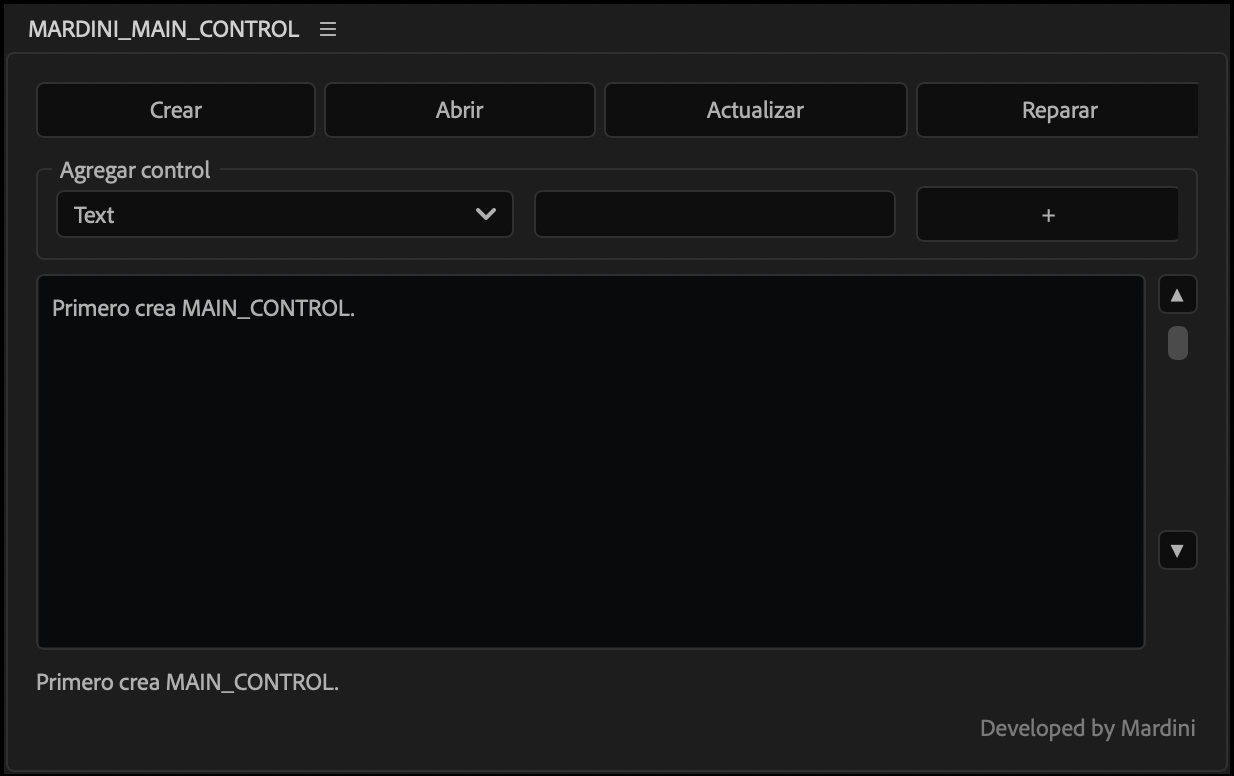
Click Crear (Create) to generate MAIN_CONTROL. Under Agregar control (Add control), choose a type, enter a name and click +. Abrir (Open) shows the control composition; Actualizar (Refresh) reloads the cards and Reparar (Repair) checks their links.
 View full screenshot ↗
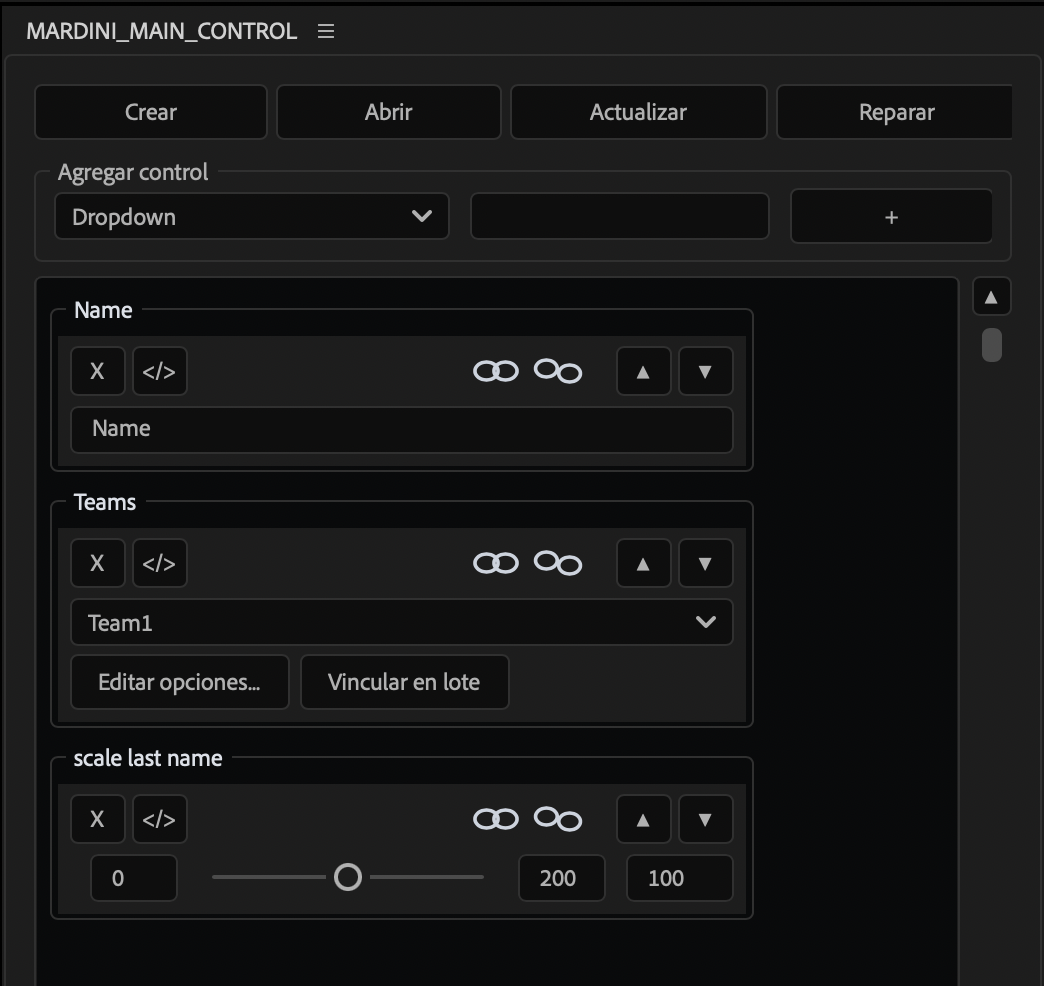
Select the target layers or properties and use the chain icon to link them to a card; the open chain unlinks them. The screenshot shows text, a Dropdown and a slider with editable range and value. Editar opciones (Edit options) defines Dropdown entries; Vincular en lote (Batch link) creates one option per selected layer and controls its visibility. The arrows reorder the cards.
Actual panel screenshots. Button labels are kept as they appear in the interface.
Update multiple text layers from one central control, preserving the formatting of the destination layers.
Control Anchor Point, Position, Scale, Rotation and Opacity, as well as fills, strokes, sliders, dropdowns and checkboxes.
Reorder cards, find controls and repair references. Unlinking restores the previous expression.
Steps to install this version of MAIN CONTROL.
Download the ZIP on this page and find MARDINI_MAIN_CONTROL.jsx. No installer needs to be run.
Place MARDINI_MAIN_CONTROL.jsx in your installation’s Scripts/ScriptUI Panels folder. Copy the JSX file, not the entire ZIP.
Find the script in the Window menu. Open the panel and dock it in your workspace.
/Applications/Adobe After Effects [versión]/Scripts/ScriptUI Panels/C:\Program Files\Adobe\Adobe After Effects [versión]\Support Files\Scripts\ScriptUI Panels\Adjust the After Effects version and installation location for your computer. Copying files into the application may require administrator permissions.